You have seen it on your Facebook wall many, many times and you have even tried it: on the occasion of LGBT Pride, Facebook allows you to put a filter with the colors of the rainbow on your snapshot or when a catastrophe happens, such as the attacks in Paris, the profiles are dyed with the flag of the country where it happens. Facebook calls this utility “create a frame”, although it is more popularly known as a custom frame. We show you how to create your own and, yes, get Facebook to let you use it and let others use it too.
If you are a Facebook Ads user or control a commercial page, you know how strict this social network is when it comes to images. So it could not be less with this issue and you must follow its rules and steps, and respect their Community Standars. Let’s go one by one:
Design the image you want as a filter
The maximum size is 2400x2400px and the minimum 180x180px. Within the larger size it is possible to do whatever you want: either put a logo in one of the lower corners, put a skirt that occupies the entire foot of the image, or a drawing on the sides or as a frame. Some important details to take into account that the social network points out are:
- Each element must have a transparent background.
- Upload your elements as separate PNG files.
- The maximum weight is 1MB.
- The composition must be 100% original.
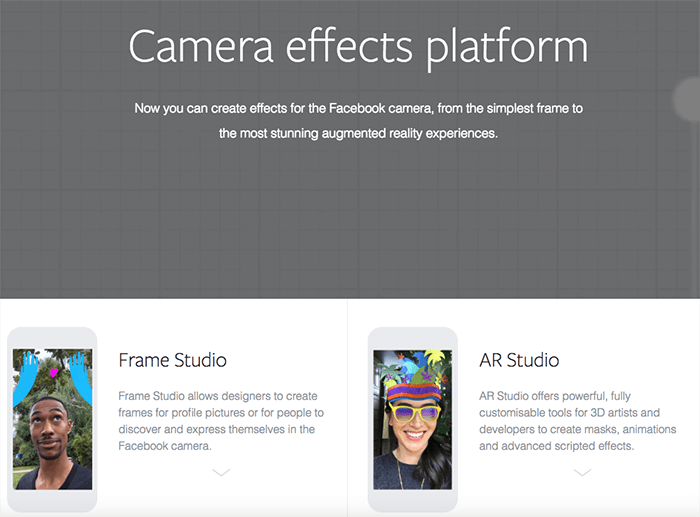
Once you have thought and made your design, go to the Camera Effects Platform page and select the Frame Studio option. Next to it, you will see AR Studio but this is an app for 3D effects (if you want us to dedicate a post to this app, leave us a comment!)
At Reinicia we are specialists in Social Media Marketing We can help you!
Inside Frame Studio
Select this app and click on the blue Create a Frame button. A pop up window will open as an editor, where you can upload the PNGs that make up your frame either by dragging them to the central gray surface or with the Upload Art button .
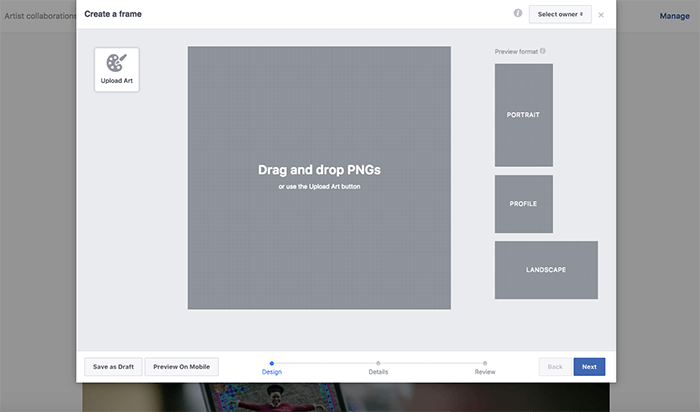
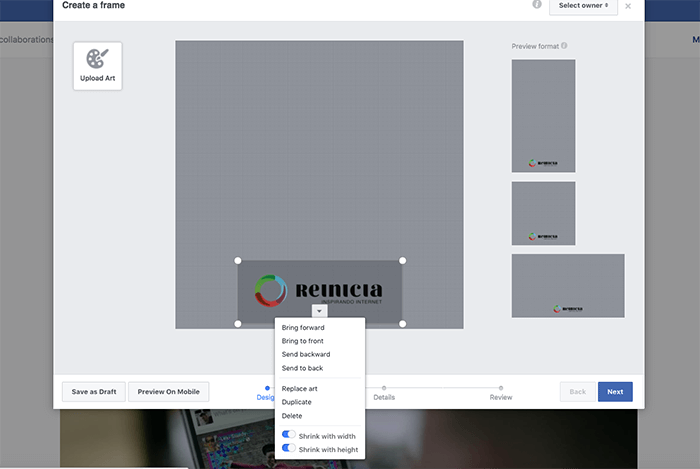
We are going to create a frame with the Agency’s logo. When you upload it to the platform, you can move it around the design space to the position you want (look carefully, because when you drag it, some red lines will appear to mark the percentages and if it is centered) and, by clicking on the arrow that appears under your image, several options will be displayed to apply to it, such as Bring to front, send to background, duplicate, etc. We can also preview how it will look in the profile pictures.
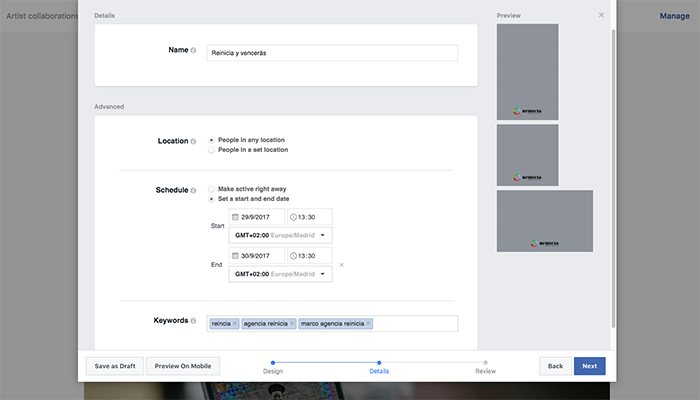
After clicking the Next button, you will be taken to the Details screen, where you can name your frame, set how long it can be available for and give it some keywords for users to find it.
The last screen will allow you to make a review before publishing.
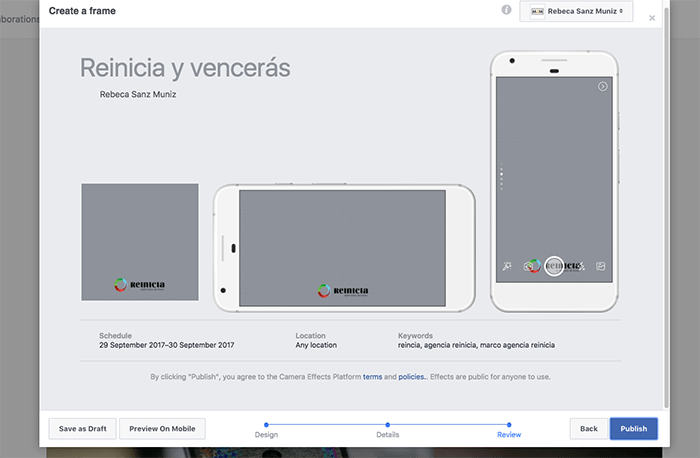
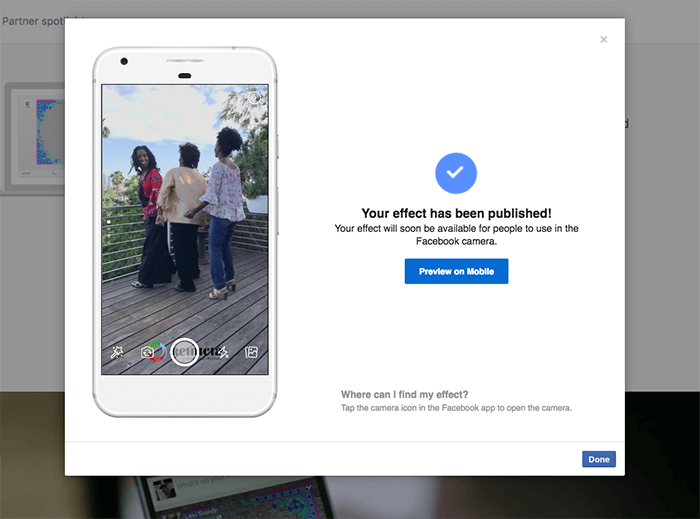
Click the blue Publish button and your frame will be reviewed by Facebook. If they accept it, it will be available on the Game Face page. Here, just find the filter and allow it to be applied to your profile picture. You can also use the Facebook app on your cell phone, open the camera from there and look for your frame among the effects.
Case study
For one of our clients, ANPIR (National Association of Clinical and Resident Psychologists), we developed a frame for a social media campaign on the occasion of World Mental Health Day. The frame included the colors of the association, its logo, and the hashtag chosen for the occasion. This was the result:
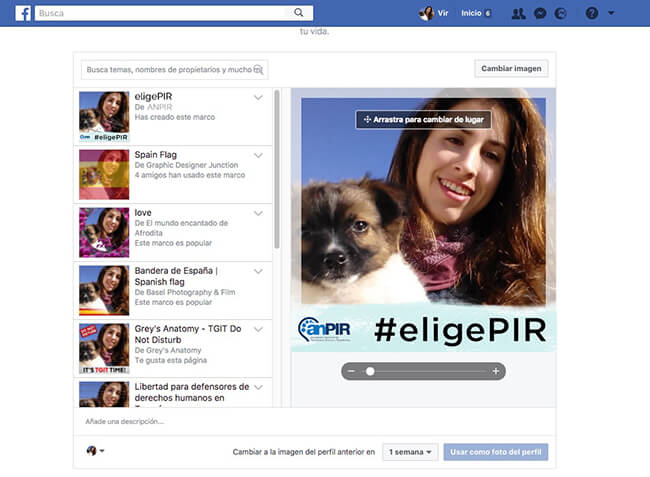
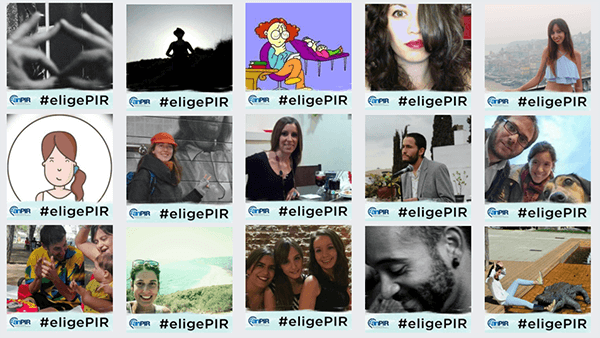
As it was intended for an association, they were sent a dissemination guide, which explained step by step how to find the frame and how to use it in their profile pictures. It also gave detailed tips to help the social networks achieve the virality they were looking for in their message. The customized Facebook frame was used by 100 people in just 5 days. This number continued to grow.
Remember to check Facebook and make sure your frame is available and working properly. Then, publish a post announcing it and giving the name by which it can be found in the camera search engine to change the profile picture.
After a few days, you will receive a notification with the results and the acceptance of your frame. You will also be able to see some of the people who have decided to use it.
Do you want us to take care of your social media strategy? Contact us!