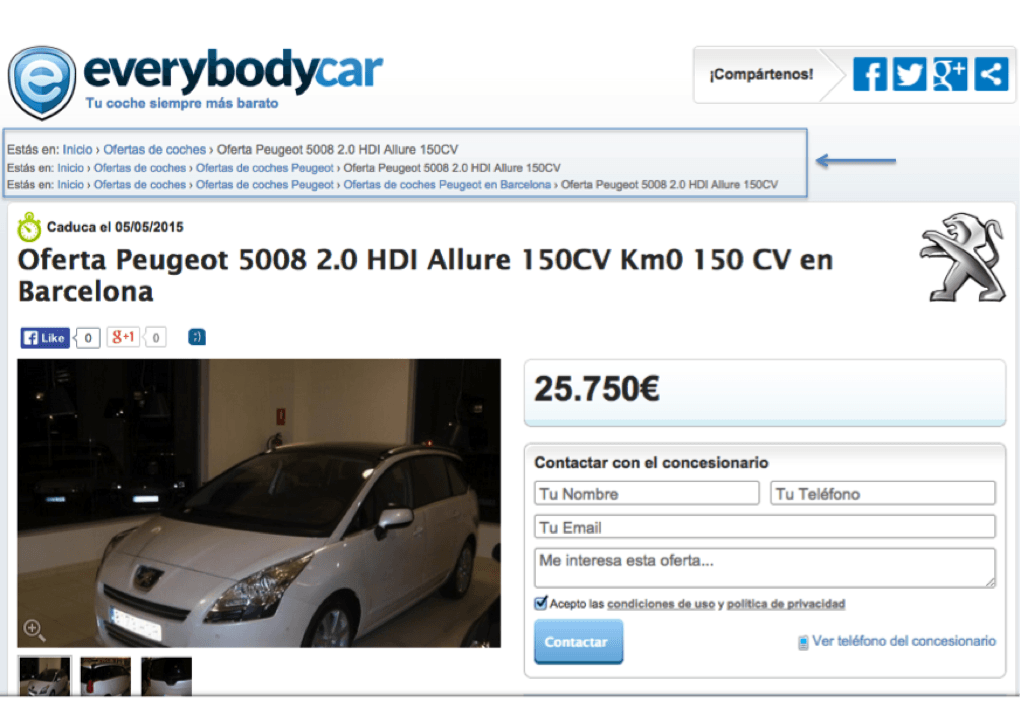
When it comes to positioning an online store or any other type of website, breadcrumbs are an element that is usually ignored, both by online marketing consultants and web designers / developers. However, they are a key element both to improve the indexing of the pages that make up our website by search engines and to help our users to navigate within it.
The Breadcrumbs, breadcrumbs, or ant trail (as some call it), are a series of links that appear on a web page, usually at the top of it and that show us the tree or category structure of the website as we navigate through it until we reach the tab of a product / service or a particular item.
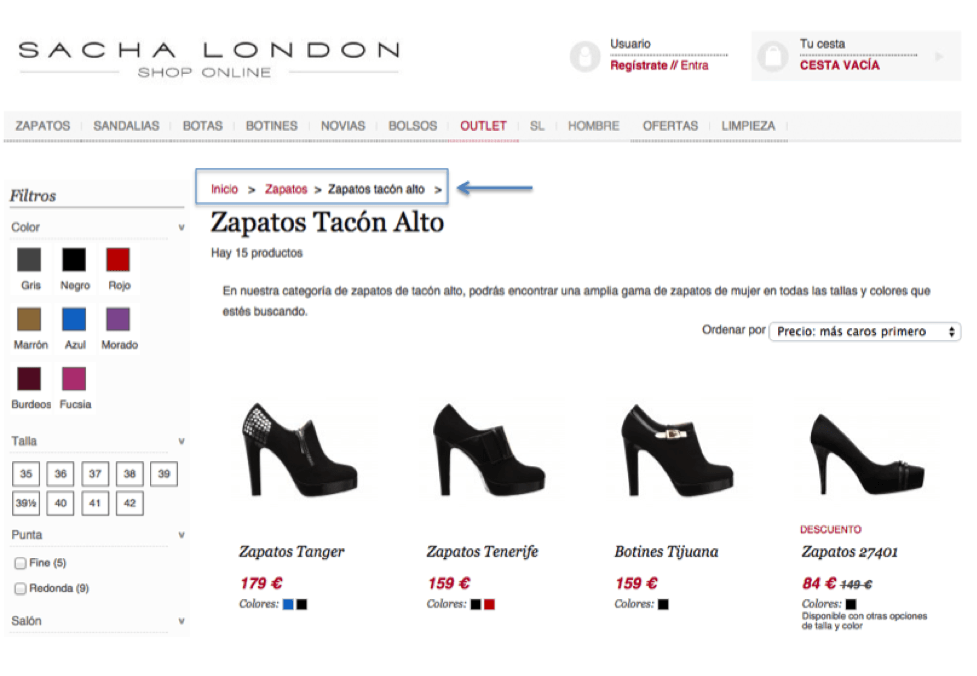
For example, if we are in an online shoe store, and we are in the tab of a product such as a woman’s high heel shoe, the breadcrumbs could be as follows:
Home > Women’s shoes > High heel shoes > High heel shoes Brand X.
Breadcrumbs are navigation elements, usually hierarchical, that are implemented to help the user navigate and return to the “parent” category, or previous category, while making it easier for search engines to understand the structure of websites.
Double and triple breadcrumbs:
But what happens when the same product / service card or article belongs to different or several categories at the same time? In these cases, the most important category to which the product belongs is usually displayed as a Breadcrumb, thus harming or distracting the user who enters the product card through a category other than the default one.
How do we solve this problem?
The solution is to implement double or triple breadcrumbs on our website. In this way, those users who arrive at our product cards by different paths or categories, will always be able to follow the path they have taken to reach our products. If a product card belongs to two different categories, a double breadcrumb will be displayed. If it belongs to three, our visitors will see a triple breadcrumb. But be careful, do not overdo it, do not have more than three or four “breadcrumbs” on our website, otherwise they will take up too much space in our web design, and we will confuse our users.
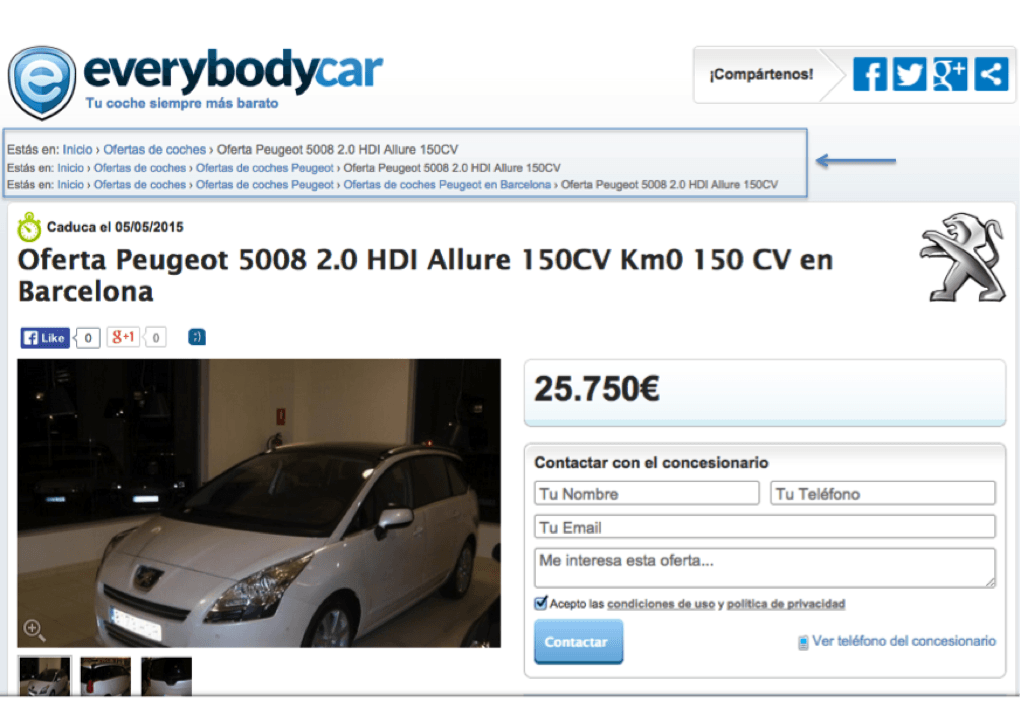
Example of double breadcrumb:
What about Google and our search engine rankings?
This is an important issue, because the breadcrumbs, as we have discussed above, are important to facilitate the indexing of the pages of our site to the search engine robots, and therefore to give them information about the structure of the site. But for this to be so, we must implement in the code of the same the schema of microdata following the standards of Schema.org (fragments of code that offers to the robots of the search engines semantic information about what they are reading). By doing it this way, search engines are likely to show it in their search results.

In the case of having implemented two or three breadcrumbs on our website, Google’s robot will have more information on how our site is built, but will take into account and consider only the first of them, although according to Matt Cutts, it will also read the second and third.
In these cases and if we do not take into account technical factors for search engines, Google could interpret that we have duplicate content, since the same content (our product sheets or articles), would have different URLs depending on the path we choose to access it.
What do I do so that Google does not consider that I have duplicate content?
To solve this problem, we can consider two options:
- The first option is to implement a single URL in our product / service cards or articles, and these are built without taking into account the categories to which they belong. Thus the URLs of our product sheets would be of the following type: www.nombredominio.com/nombre-ficha-producto.html.
- The other option is similar to the previous one, but in this case we will build the URLs of our product cards considering only one of the categories to which they belong, the most important one. In this way our URLs will be of the type: www.nombredominio.com/categoria-principal/nombre-ficha-producto.html. When we access from another path or category to which our product card belongs, this URL will be shown, even if it is not the category through which we have entered. We will put these URLs as canonical. View article on canonical urls and duplicate content