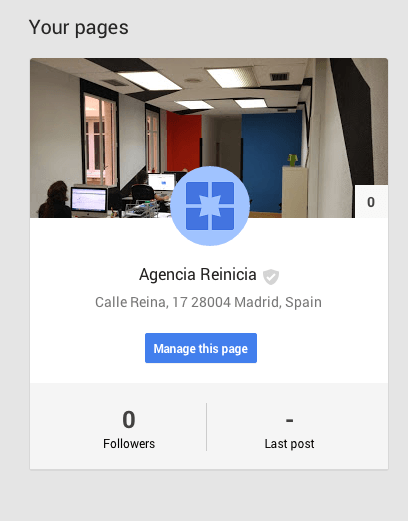
Google My Business: What is it?
Google My Business has become an essential tool for local businesses that want to achieve greater visibility to potential customers. More and more people are searching for stores and services near their location, a behavior that has been accentuated with the proliferation of Internet access through mobile terminals, and Google My Business was born with the idea of responding to this need for information, unifying the different platforms offered by Google to associate local businesses to their environment: Google search engine, Google Maps and Google Plus. Thus, by registering our company in Google My Business, we will automatically do so in the other tools, increasing our online visibility and facilitating data management (when making changes in Google My Business, these will be automatically updated in the other tools).
Google My Business allows us to offer information of interest to our customers such as: the location of our offices or stores, telephone number, opening hours, the services we offer, etc. We can also add quality photos and videos of the products we sell to improve the visual aspect for customers, and even introduce a virtual tour to show the facilities of our business, an important factor to increase the confidence of potential customers.
How does it work?
First of all, we have to make sure we have a Gmail account to be able to register and if not, create a new one. Google My Business offers several possibilities of registration according to the characteristics of our company:
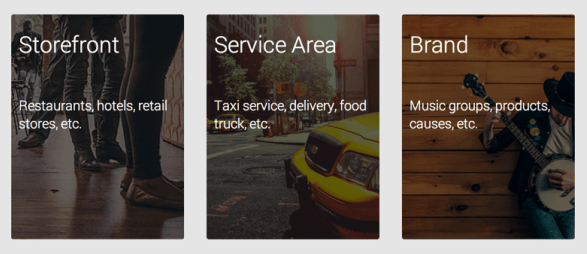
- Business with physical establishment: If you serve your customers at your own location, by choosing this option, they will be able to locate you directly at your business address through Google Maps. For example: stores, restaurants, hotels, etc.
- Business in service area: If you do not have a physical location but you offer services in a certain area, you must specify the area where you offer such services so that customers can consult it through Google Maps.
- Brand pages: Google My Business also offers the possibility to register a brand. This option includes organizations, artists, individuals, groups, etc. Brand pages allow you to reach customers or fans but do not include a physical address on Google Maps. Apart from a page, you can create communities in which users can participate by starting conversations on topics of interest, but this will be a separate article.
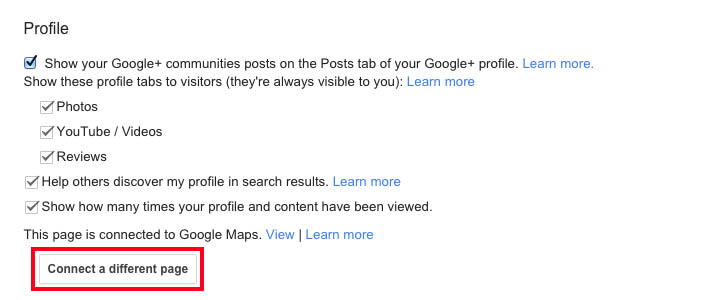
To solve this aspect of brand pages and for those of you who have already created one of this type, but want to put your address, there is the possibility of creating a company with a physical establishment or services and then merge it with the brand page of the existing company, thus integrating the address. To do this, the two pages -brand and business- must be created as administrators of both, and the Local page must be verified by Google. Once the two pages are created, we will go to our local page and in “Settings” (top right), in the “Profile” section, we will select the option “Connect another page” and select our brand page.

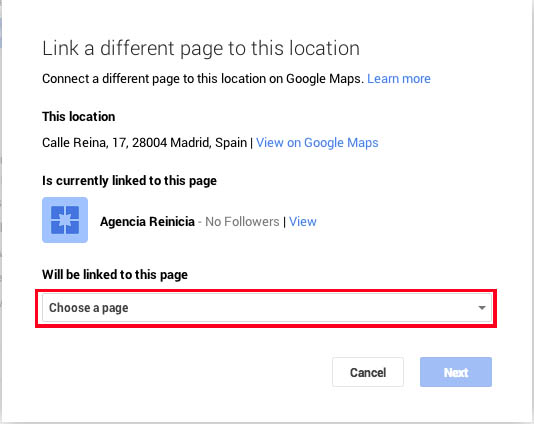
When merging the pages, we also merge the number of followers, publications, administrators of both pages, etc., so that we do not lose any data and we expand the information of the users.
How to register a company in Google My Business step by step
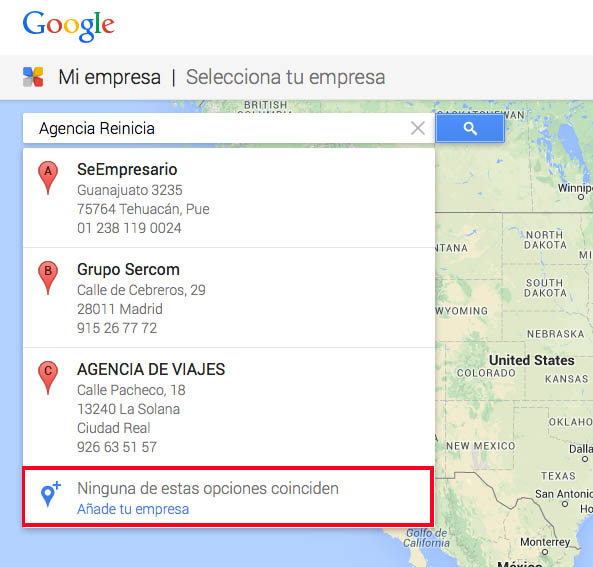
When entering the Google My Business site, the first thing to do is to click on the blue “Appear on Google” button at the top right. Then, a tab will open in which we will have to enter the name of our company. Several sites with a similar name will appear and we will have to choose the last option: “None of these options match. Add your company”.
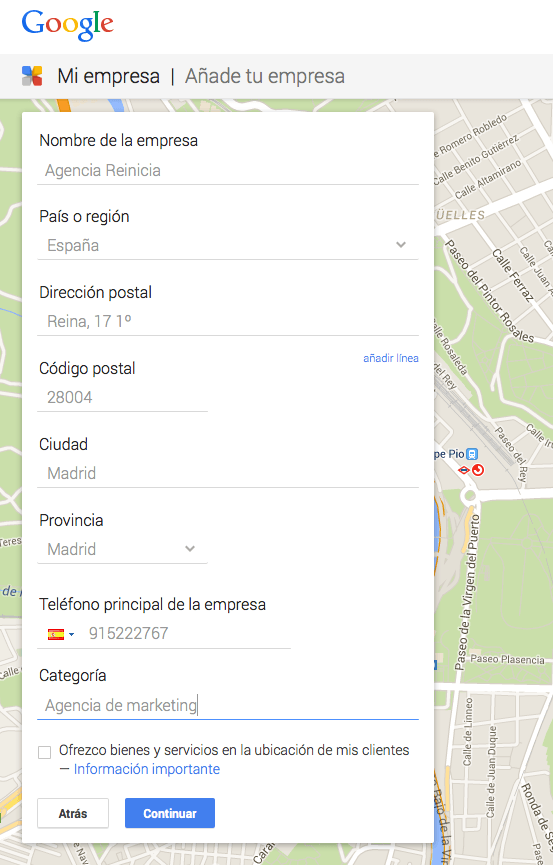
2. Next, we will have to fill in several fields with the data of our company: Name, Country, Address, City, Telephone, Service category, etc.All these data will be accessible to any user who searches for our company through any Google platform, so the more specific we are, the better. It is very important to correctly indicate the service category to which our company belongs, because this will determine in which search results we will appear. Luckily, Google My Business has a closed list of categories and when we start typing, it will make suggestions. Finally, in the case of offering our products and/or services at the Customer’s address, we must check the checkbox that appears right at the end.
3. The third step will appear only if we have checked the box “I offer goods and services at my clients’ location” in which we must specify the radius of action in which we offer our services, either by zip code or by distance in kilometers. It is important to check the box that specifies that we offer services in our own facilities, if that is the case. 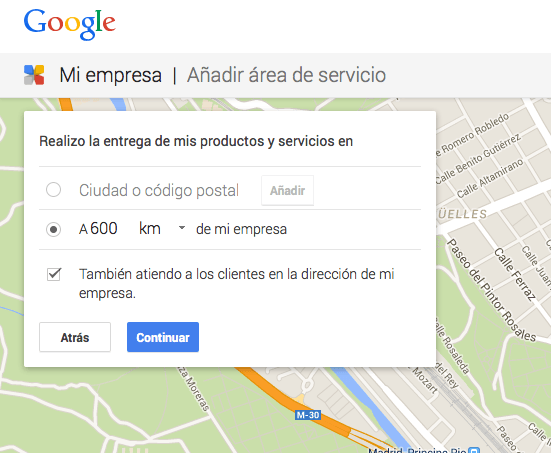
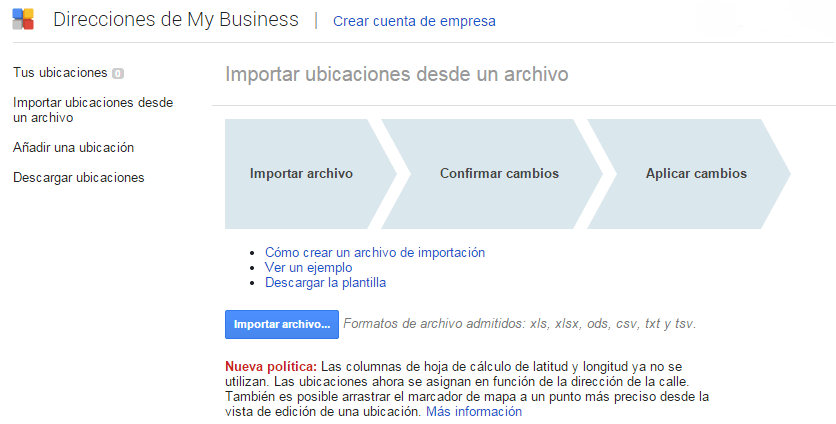
If your company has 10 locations or more, you will need to do a bulk upload, which is offered by the tool. To do this, you will have to access the link offered by Google My Business for this issue and select the option “Import locations from a file”. Then, we will have to import the information of the different locations of your company in a spreadsheet. To download the template provided by Google, click on “Download template” and from there add all the information. The imported document must be in one of the following formats: .xls, .xlsx, .ods, .csv, .txt and .tsv. If you are not sure how to create a spreadsheet, you can find more information on their website.
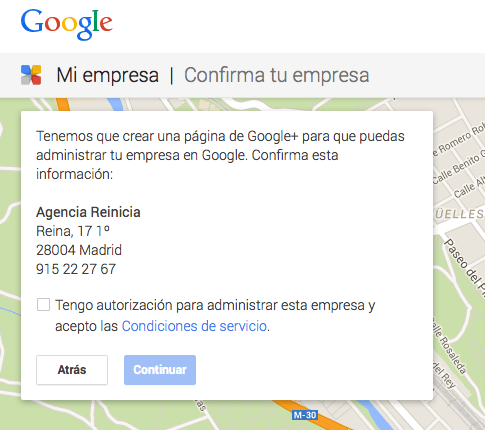
4. The next step informs us that the program will create a Google Plus profile with our company data. This tool allows a more direct and personal contact with our customers, since we can make daily publications with news, events or news related to the services we offer or product we sell. Users can follow us, participate by writing comments, recommend our publications by clicking on +1, or share them. This, in addition to bringing us closer to our customers and gaining their loyalty, will also increase our presence in search engines, since Google values highly the interaction of users with companies in its social network.
5. Finally, we must verify the identity of our company so that Google allows us to manage the corporate profiles associated with the company in question and thus avoid possible fraud. Ideally, you should receive the verification code by mail, which takes between one and two weeks to arrive. Once received, we will have to access our Google My Business profile and enter the code indicated to us.
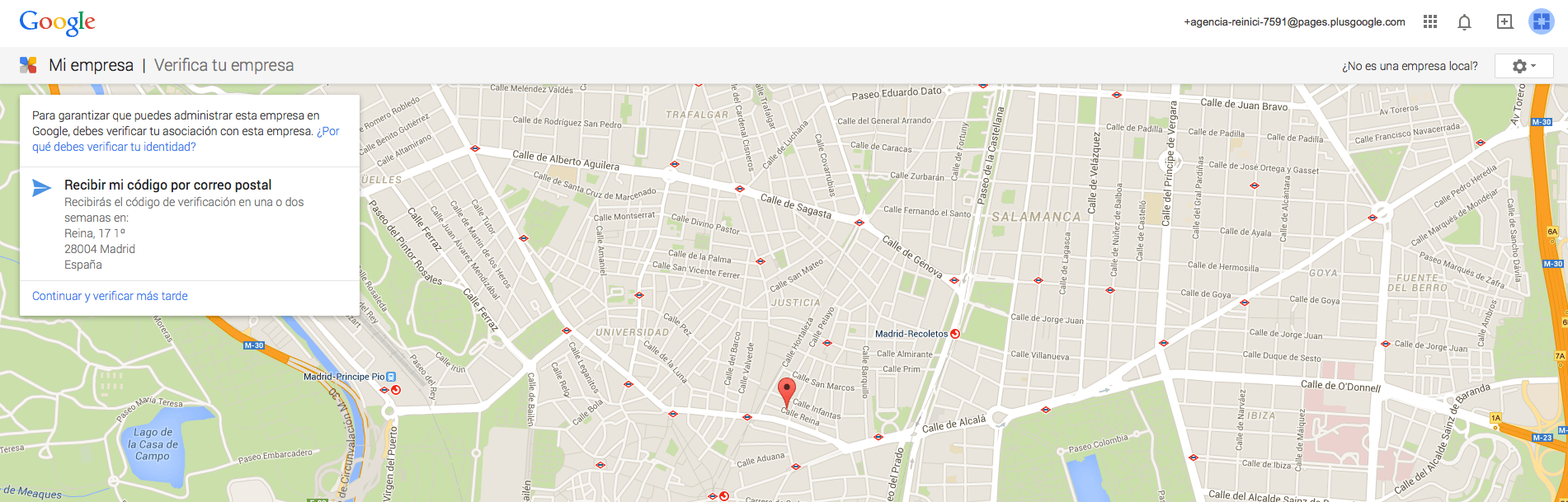
6. We now have our profile created!