In this article we will explain what an onClick event is and what its main components are.
Events are a way to track in detail the actions performed by users on our website. Example: measure how many times our users click on a button, download a document or click on a link.
To do this, a javascript code must be implemented so that Analytics can detect it and then configure it in the tool.
There are different types of events such as onmouseover, onmouseout, onload, onDblClick, etc. events. Although in this article we will only focus on the onClick events.
The onClick events are mainly interactions that users make with the elements of a web page. onClick events are mainly interactions that users make with the elements of a web page, from file downloads, buttons, mobile ad clicks, video plays, gadgets etc. That is, where the user interacts and clicks.
What are onClick events used for?
The aim of onClick events is to carry out a detailed monitoring of the interactions that users make on our website. Thanks to this, we will be able to know the degree of interest of the visitors in our Web, and with this we will be able to carry out A/B tests to see which version is the one that best adapts to the objectives we want to achieve.
Watch the webinar Scorecards for business and marketing!
Components of an event
Once it is clear what an event is, we must take into account that it consists of four values with which we can describe the interaction of a user. These four values are
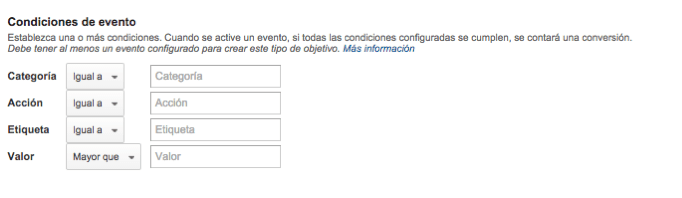
- Category: are main divisions of the types of events that are on a site. Categories can be as specific or as broad as you want, for example (English page, downloads, form, etc.).
- Action: is a descriptor of a specific event category. For example we could define Download as an interaction action to be performed for a document.
- Label: it is not mandatory and is used to classify an event.
- Value: like the tag value it is not mandatory, but it is very useful for passing counts.
The structure of an event is as follows:
<a href="#" onClick="_gaq.push(['_trackEvent', ' categoria', 'acción', 'opt_etiqueta', opt_valor])"> Enlace de clic</a>
To explain graphically how it works we show you some of the most common examples.
Example 1: PDF download button

Our link url in this case is as follows:
www.ejemplo1.com/wp/wp-content/sobrenosotros.pdf
< a href=”www.ejemplo1.com/wp/wp-content/sobrenosotros.pdf onClick=”_gaq.push(['_trackEvent', página español', 'Enlace descargar PDF sobre nosotros', 'Descargar PDF']);”>Descargar Pdf</a>
Once the event is implemented, we will be able to see how many people click on this link to download the PDF.
Example 2: Request information button
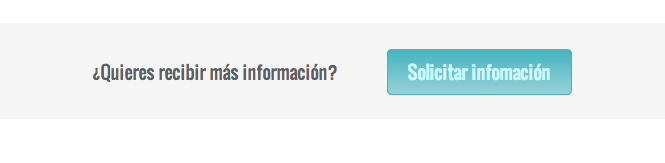
We have as a link:
www.empresa1.com/contacto
< a href=”www.empresa1.com/contacto onClick=”_gaq.push(['_trackEvent', 'español', solicitar informacion', información']);”>Solicitar informacion</a>
In this case, we will be able to see how many people click the button to go to the Contact page.
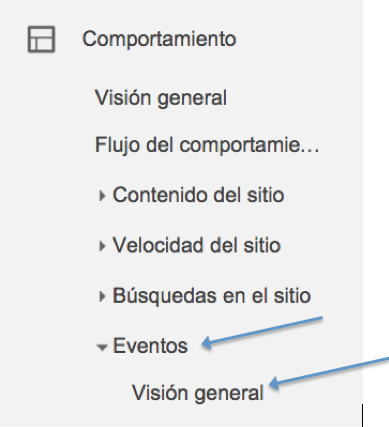
Once the event code has been inserted into the website, Google Analytics will begin to collect all the information on our events, which can be viewed in more detail in the section Behavior > Events > Overview.
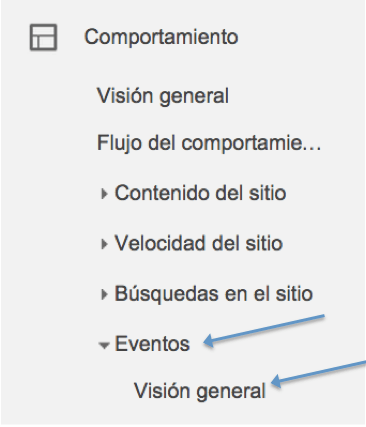

In this image we can see the total number of events, as well as the unique events, value of the event, etc. We can also know what is the action of the event or its label as shown in the image.
We hope that our article has helped you lay the foundation for a solid building of web analytics knowledge.